About Fruit Jam - Merge Puzzle Game
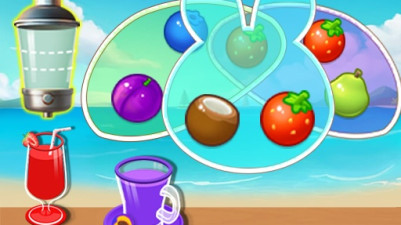
Anyone comfortable with drag-and-match puzzles can pick this up cold. The only reading required is recognizing fruit shapes and colors, making it accessible to early readers and non-readers alike. Motor demand stays low — a single finger tap or drag moves each fruit. Attention span matters more than prior puzzle experience; players who can hold a sequence of three to four moves in mind will progress smoothly. The mechanic asks you to slide matching fruits into a line, then watch them merge into a larger fruit. No timers, no penalties for wrong taps, and no branching logic to track.
Slide fruits together to create satisfying combos in this vibrant puzzle game. The real joy comes from strategically sorting and merging colorful fruits into the right order to clear each level. With no time pressure, you can thoughtfully plan your moves, making it a perfect, relaxing brain teaser. The simple act of organizing everything just right is what makes it so addictive.
How to Play Fruit Jam - Merge Puzzle Game
- Tap a fruit to select it.
- Drag the selected fruit to an adjacent empty cell to move it.
- Line up three or more identical fruits in a row (horizontally or vertically) to merge them into a larger fruit.
- Continue merging until no more matches are possible on the board.
- The game ends when the board fills and no moves remain.
Game Features
- Endless mode with a single, gradually filling board — no level caps or finite stages.
- Fruits merge upward through a chain (e.g., three cherries become a strawberry, three strawberries become a lemon, etc.).
- No time pressure or move counter; players can undo a move by tapping the undo button.
- Board size stays fixed; fruits only slide into empty cells adjacent to the selected fruit.
- Visual and haptic feedback on merge (splash animation and subtle vibration on supported devices).
- Score accumulates from each merge, with bonus points for larger combos.
Tips & Strategies
- Prioritize merges near the bottom of the board to prevent the fruit pile from reaching the top.
- Leave empty cells clustered together — they give more room to slide fruits into matching positions.
- When a large fruit appears, plan its next merge before moving other fruits around it.
- Use the undo button freely; a single tap reverses your last move with no penalty.
Frequently Asked Questions
What happens when the board fills up completely?
The game ends and your final score is displayed. There is no way to clear space once every cell is occupied and no matches are available.
Can I merge fruits diagonally?
No, only horizontal and vertical lines of three or more identical fruits trigger a merge. Diagonal arrangements do not count.
Is there a limit to how many times I can undo a move?
The undo button reverses only your most recent move. You can use it repeatedly to step backward through your move history, but you cannot skip ahead.
Category & Tags
Game Details
- Category: Color Sort, Object Sort, Shape Sort
- Last updated: April 4, 2026