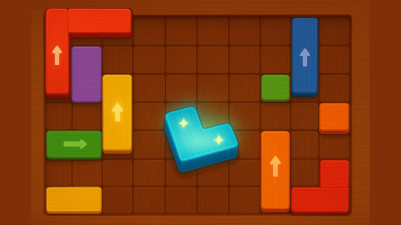
About iTileZen sort puzzle
Mistakes in iTileZen aren't permanent—the game hands you multiple ways to recover when a tile lands in the wrong slot. Tap a tile to lift it onto a temporary buffer, then tap an empty or matching spot to place it. If you hit a dead end, undo moves one at a time or restart the board entirely. No ad-watching is required for either undo or restart, keeping the focus on solving the pattern, not on monetization. The buffer itself is a built-in error cushion: a single tile can sit aside while you rethink your next move, giving you breathing room before committing.
Get ready to sort and match! iTileZen combines color sorting strategy with satisfying tile-matching puzzles. Think carefully to organize the colorful tiles into the right order and complete each level. It’s a perfect mix of logic and quick thinking that keeps you coming back for more. Just tap to move the tiles and find the perfect arrangement.
How to Play iTileZen sort puzzle
- Tap a tile to lift it from its current slot.
- Tap an empty slot or a slot with a matching tile to place the lifted tile there.
- Continue matching and sorting all tiles into their correct groups to complete the level.
Game Features
- Undo button lets you reverse one move at a time without penalty.
- Restart option clears the board and resets the puzzle instantly.
- Temporary buffer holds a single lifted tile so you can reconsider placement.
- Hints are available to highlight the next correct move if you're stuck.
Tips & Strategies
- Use the buffer to hold a tile that's blocking access to the one you need.
- Check the board for a slot that already contains the same tile type before placing a lifted tile.
- If you've made several moves and feel lost, restart rather than undo each step individually.
Frequently Asked Questions
What happens if I tap a tile that is already in the correct slot?
Tapping a correctly placed tile lifts it anyway, so you can move it if needed. Simply tap an empty slot or the same slot to put it back.
Can I undo multiple moves at once?
No, the undo button reverses only the most recent move. You must tap it repeatedly to undo several steps.
Is there a limit to how many times I can use the hint?
The game does not specify a limit on hints; you can use them as often as the puzzle offers them.
Does restarting the level cost anything?
Restarting is free and does not require watching an ad or spending any currency.
Category & Tags
Game Details
- Category: Color Sort, Object Sort, Shape Sort
- Last updated: April 4, 2026