About Jigsolitaire
Jigsolitaire starts like a gentle color-sorting exercise, but the progression curve tightens as the puzzle reveals itself. Early on, you drag individual blocks into matching pairs by shape and shade, each click locking a small victory. Later stages introduce overlapping shapes and finer shade distinctions: a block that looks like it belongs may be off by one gradient, forcing you to undo a chain of placements. The game escalates by gradually reducing margin for error—late-game images demand you hold multiple partial matches in mind while single misplacements can stall progress entirely.
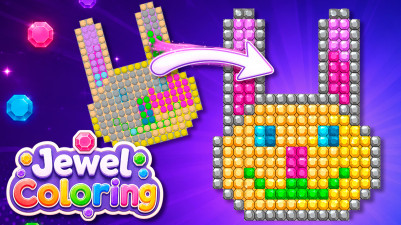
Sorting colored blocks by shape and shade feels so satisfying as each match clicks into place. You drag pieces around, building larger sections of a peaceful landscape, cottage, or nature scene. The game never rushes you—you can move single blocks or whole groups at your own pace. Completing each image is a calm little win that makes you want to come back.
How to Play Jigsolitaire
- Drag any block with your finger or mouse and place it where it fits by color or shape.
- When two pieces match, the game connects them automatically, forming larger parts of the picture.
- You can move single blocks or whole groups — the game adapts to your pace and never rushes you.
- Your goal is to complete the whole image.
Game Features
- Drag-and-drop sorting by both color and shape, with automatic snap-together connections on correct matches.
- Ability to move single blocks or entire pre-matched groups, giving flexible control over placement order.
- Progressive shade differentiation: later puzzles require distinguishing subtle gradients within the same color family.
- Peaceful landscape, cottage, and nature imagery that builds gradually as blocks are sorted into place.
- No timer or move counter — the game adjusts to your pace without pressure.
Tips & Strategies
- When stuck, try moving an entire group aside to see if a partially hidden block underneath fits elsewhere.
- Focus on building from edges inward: connecting blocks at the image border often reveals more placement options.
- If two blocks look identical, check their shade against nearby completed sections to confirm the match.
- Use the ability to drag groups to temporarily store mismatched pieces out of the way.
- When a block refuses to connect, it likely belongs to a different shape category — sort by shape first, then color.
Frequently Asked Questions
What happens if I drag a block to the wrong spot?
The block will not snap into place if it does not match by color or shape. You can simply drag it away and try a different location.
Can I undo a move?
The game does not include an undo button. You can manually drag blocks back to their previous positions since no moves are penalized.
Do I have to sort by color first or shape first?
Both criteria matter. A block may match another by shape but not color, or vice versa. The game only connects pieces when both color and shape match.
What does a completed group look like?
When two or more matching blocks are placed together, they automatically fuse into a larger connected piece that can still be moved as a group.
Can I move blocks after they have been matched into a group?
Yes. You can drag the entire connected group to a new position, which is useful for reorganizing the board.
Category & Tags
Game Details
- Category: Color Sort, Number & Letter Sort, Shape Sort
- Last updated: May 6, 2026