About Mahjong Pet Quest
When a tile you need is locked behind three others, Mahjong Pet Quest doesn't let you pick it until it's free. The only recovery tool is the shuffle button—no hints, no undo, no extra container. If the board deadlocks, your only option is to restart or shuffle and hope the new layout breaks the jam. That constraint makes every tap deliberate: you learn to scan the visible stack first, because a wrong match can trap a tile you'll need later.
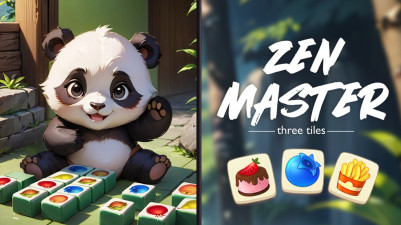
Mahjong Pet Quest swaps the usual tiles for cute animals, making each match feel extra satisfying. The goal is simple: find and clear matching pairs, but you can only pick tiles that aren’t blocked by others. As you progress, the layouts get trickier, forcing you to think a few moves ahead. It’s that classic mahjong puzzle challenge wrapped in a cozy, adorable theme—perfect for when you want to relax but still flex your logic muscles.
How to Play Mahjong Pet Quest
- Tap a free tile that has no other tiles on top of it and is open on at least one side.
- Tap a matching animal tile to pair and clear them from the board.
- Only tiles that are not blocked by other tiles can be selected.
- Clear all tiles from the board to complete the level.
Game Features
- Tile layouts become denser as you progress, with more overlapping layers that restrict your options.
- Each level presents a fixed board—no randomization once the puzzle starts, so a wrong match can't be undone.
- A shuffle button rearranges remaining tiles when you're stuck, but you can only use it a limited number of times per level.
- Cute animal artwork replaces traditional mahjong symbols, making tile recognition faster for younger players.
Tips & Strategies
- Before tapping, scan the board for tiles that are currently free but will become blocked if you match another pair first.
- Prioritize matching tiles from the topmost layer first—clearing them reveals new free tiles underneath.
- If you see no open matches, use the shuffle button early rather than wasting taps on tiles that won't help.
- Remember that a tile must be free on at least one side (left or right), not just the top—check both conditions.
Frequently Asked Questions
What happens if I match the wrong pair?
There is no undo button. Once you tap a pair, they are removed permanently. If you make a mistake that leaves the board unsolvable, you must restart the level or use a shuffle if available.
Can I match tiles that are touching on the side but have another tile on top?
No. A tile is only free if no other tile lies directly on top of it and at least one side (left or right) is open. A tile that is covered from above cannot be selected.
How many times can I shuffle per level?
The provider does not specify a specific number, but the shuffle button is limited. Use it wisely when no matches are available.
Category & Tags
Game Details
- Category: Color Sort, Number & Letter Sort
- Last updated: May 6, 2026