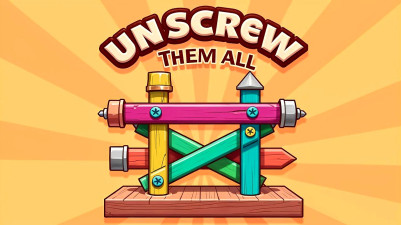
About Nuts & Bolts Sort: Color Puzzle
A wrong placement in Nuts & Bolts Sort: Color Puzzle doesn't end the level — it creates a dead-lock state that forces an undo or restart. Each misaligned nut or bolt teaches the player to trace the color chain more carefully on the next attempt, turning failure into a sharper sorting strategy. The game's recovery loop — tap to retract, rethink the sequence, and re-match correctly — makes every restart a lesson, not a setback.
Get your brain in gear with this clever color sorting puzzle. The goal is simple: unscrew and swap those colorful nuts and bolts until each container holds a single, matching shade. It’s a deeply satisfying test of logic, where every strategic move brings you closer to a perfectly organized solution. Fast, smooth, and playable anywhere, it’s the perfect bite-sized challenge for a quick mental workout. Sort your way through increasingly tricky levels—it’s the kind of smart, addictive fun you’ll keep coming back to.
How to Play Nuts & Bolts Sort: Color Puzzle
- Tap a nut or bolt to select it, then tap the container where it should go.
- Move nuts and bolts one at a time to sort them by matching color into separate containers.
- Use strategy and logic to plan your moves and avoid unsolvable configurations.
- Complete each level by sorting all items into single-color containers to unlock new challenges.
Tips & Strategies
- Start by isolating the largest color group — free them early to open more container space.
- Use the undo button after a wrong placement to avoid dead-lock rather than restarting.
- Watch for duplicate colors in the source container — move one at a time to track matching locations.
- Prioritize empty containers as temporary holding spots to break up blocked sequences.
- If you hit a dead-lock, note the bottleneck color and reorder your moves on restart.
Frequently Asked Questions
What happens if I place a nut or bolt in the wrong container?
You can tap the undo button to reverse the last move. If the board becomes unsolvable, use the restart button to reset the level.
How many colors can appear in a single level?
The official instructions do not specify a number, but levels grow more complex with additional colors and containers as you progress.
Is there a limit to how many times I can undo a move?
The undo button can be used multiple times in a row, but it only reverses moves one at a time — it does not undo to the start state.
Do I need to tap or drag to move nuts and bolts?
Use tap controls: first tap the nut or bolt you want to move, then tap the destination container to place it.
What happens after I complete all levels?
The official instructions mention unlocking exciting new challenges after each level completion, but they do not describe an endgame beyond that.
Category & Tags
Game Details
- Category: Color Sort, Screw & Bolt Sort
- Last updated: April 9, 2026