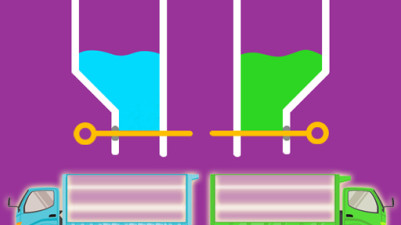
About Colors pins
Most color sort puzzles let you pour freely between tubes, but Colors Pins flips the script: you pick a pin color, and the box that matches it appears first. Click wrong, and the pin doesn't sit still—it drops into a temporary overflow cell. Fill those cells, and it's game over. This twist forces you to scan the whole board for the right color before clicking, turning each move into a high-stakes decision rather than a casual pour.
Tidy up a colorful mess of pins by sorting them into matching boxes. It’s a simple, satisfying puzzle—just click the right color to fill each box, then move on to the next. But stay sharp: a wrong move sends pins to overflow cells, and if those fill up, it’s game over. With bright graphics and relaxing yet strategic gameplay, each level offers a neat little challenge in organization.
How to Play Colors pins
- Click on a pin of the same color as the box currently displayed on the level.
- The pin moves into the box, filling it; once full, a new box of a different color appears.
- If you click a pin that does not match the current box's color, the pin falls into a temporary overflow cell.
- Continue matching pins to boxes until all pins are collected into boxes.
- Avoid filling all overflow cells; doing so ends the level immediately.
Tips & Strategies
- Check the current box color before clicking a pin; a wrong match costs a precious overflow cell.
- Plan multiple clicks ahead by noting which pins will be needed for upcoming boxes.
- If overflow cells are scarce, prioritize matching high-quantity pin colors first to reduce risk.
Frequently Asked Questions
What happens if I click a pin of the wrong color?
The pin falls into a temporary overflow cell instead of the box. If all overflow cells are filled, the level is lost.
How do boxes change after I fill one?
Once a box is completely filled with matching pins, another box with a different color appears immediately to replace it.
Can I undo a click if I make a mistake?
No, the game does not provide an undo function. Each wrong click permanently occupies an overflow cell.
Is there a limit to the number of overflow cells?
Yes, the level shows a fixed number of temporary overflow cells. Once all are filled, the game ends.
Category & Tags
Game Details
- Category: Color Sort, Screw & Bolt Sort
- Last updated: April 4, 2026