About Halloween Store Sort
Playing Halloween Store Sort requires building a mental model of the shelf stack — tracking which items are buried beneath others and predicting which adjacent shelves will shift when a stack clears. You don't just match three identical spooky treasures; you must visualise how freeing a lower shelf might bring a needed item closer or block access to another. The timer adds pressure to hold this grid-state in your head while dragging items between shelves, making each move a short-term memory puzzle as much as a sorting one.
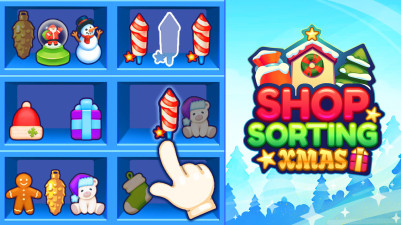
Get ready to sort spooky treasures! Drag Halloween toys and decorations between shelves, creating matching sets of three to clear them away. As you clear space, new hidden shelves slide into view, challenging you to think strategically. The clock is ticking on every level, so sort quickly and use the shuffle when you’re stuck. It’s a satisfying puzzle of organization—clear all the shelves to claim your Halloween victory!
How to Play Halloween Store Sort
- Drag items between shelves using your mouse or touchpad.
- Match 3 identical items on one shelf to clear it and let upper shelves slide down.
- Clear entire stacks to shift adjacent shelves.
- Collect all items before the timer runs out.
Game Features
- Shelves slide down dynamically when you clear matching sets, revealing hidden items.
- Adjacent shelves shift position when a stack is fully cleared, changing the board layout.
- A timer counts down on every level, demanding quick sorting decisions.
- Shuffle button available to rearrange items when no immediate matches exist.
Frequently Asked Questions
What happens if I match three items on a shelf?
The matched items disappear, and any shelves above that position slide down to fill the gap, potentially revealing new items.
How do shelves shift when a stack is cleared?
When every item on a shelf is cleared (the entire stack), adjacent shelves move sideways to close the gap, changing the board's shape.
Can I undo a drag if I place an item wrong?
The instructions do not mention an undo feature; you can only drag items again to correct placement, but the timer continues.
What does the shuffle button do exactly?
It randomly rearranges all items currently on the shelves, giving you a new layout when no matches are possible.
Is there a penalty for running out of time?
If the timer reaches zero before you collect all items, the level ends and you must retry.
Category & Tags
Game Details
- Category: Color Sort, Object Sort
- Last updated: April 12, 2026