About Mahjong Sort Puzzle
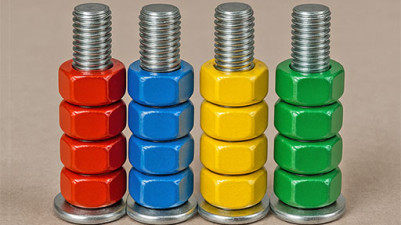
In Mahjong Sort Puzzle, colour is the only information you need. Each tile carries a single hue — red, green, blue, yellow, or purple — and the entire game is about reading that hue to know exactly where a tile belongs. The grid is not random; it's a colour-coded map that tells you the destination before you even move. Clicking a tile isn't just picking it up — it's committing to the category that colour represents. The visual scheme doesn't decorate the puzzle; it is the puzzle.
If you enjoy mahjong and matching puzzles, you'll love this game. It's all about sorting tiles by color into a grid to clear them away. There's a real satisfaction in organizing them just right, and it challenges your logic and spatial thinking as you plan each move. Simple to play but surprisingly addictive—just click or tap to start sorting!
How to Play Mahjong Sort Puzzle
- Click or tap a tile to select it from the pile.
- Move the selected tile onto an empty slot in the grid arranged by colour.
- Place tiles of the same colour in the same row or column to clear them.
- Use the shuffle button to reorganise tiles when no valid move is available.
- Clear all tiles before the timer runs out to complete the level.
Game Features
- Five distinct colour categories (red, green, blue, yellow, purple) dictate tile placement.
- A shuffle button rescrambles the tile pile when you're stuck.
- A countdown timer adds a pace constraint to each sorting round.
- Color-matched rows or columns clear together, rewarding accurate sorting.
- Tile pile stacks dynamically, requiring you to plan which colour to grab next.
- Grid layout changes per level, shifting which colour zones are where.
Tips & Strategies
- Focus on one colour at a time — fill its row or column before moving to the next to avoid scattered tiles.
- Use the shuffle early if your pile blocks access to needed tiles, not just as a last resort.
- Watch the timer split — clear quick-to-match colours first to buy time for slower ones.
- Plan tile drops to leave empty slots near colours you'll pick next, not in random spots.
Frequently Asked Questions
What happens if I place a tile in the wrong colour row?
The tile sits there and won't clear until it's in a matching group. You can move it again, but it wastes time on the timer.
Can I replay a level after the timer runs out?
Yes — the game lets you restart the same level. No penalty other than starting fresh.
Does shuffling reset my progress on the grid?
No. Shuffling only rearranges the tile pile on the bottom; tiles already placed on the grid stay where they are.
How many tiles are in one level?
The exact count varies, but each level has a full grid that matches the number of tiles in the pile — no extras.
What does the timer do when it hits zero?
The level ends immediately and counts as a loss. You can then restart the same level.
Category & Tags
Game Details
- Category: Color Sort, Object Sort
- Last updated: April 12, 2026