About Organize It
In Organize It, colour is the first instruction. Each object arrives with a hue that signals its destination before the player has to reason about category or shape. The game treats colour as a data channel — a red book does not just look red; it belongs on the red shelf. By encoding the sorting rule into the palette, the puzzle lets the eye guide the hand. Clicking items into their colour-matched zones turns tidying into a visual logic problem where hue defines order.
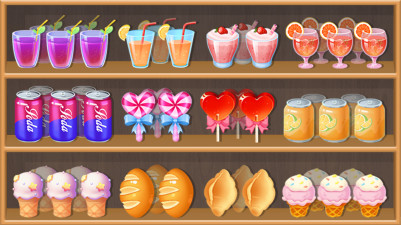
There's something so satisfying about tidying up a messy room—and that's exactly what Organize It lets you do. Each level throws random objects into chaos, and it's up to you to click and sort them into perfect order. The puzzles get clever, making you think about where each item belongs. It’s calm, addictive, and oddly rewarding to watch everything click into place.
How to Play Organize It
- Click or tap an object to pick it up.
- Click or tap the correct container or shelf to place it.
- Match each object's colour to its designated zone.
- Continue sorting until all items are in their correct positions.
Game Features
- Each level presents a collection of objects color-coded to their target containers.
- Objects range from books and toys to household items, all identifiable by colour.
- Containers and shelves are clearly marked with matching colour bands or labels.
- New objects are introduced gradually, expanding the palette and sorting complexity.
- The game provides visual feedback when an object is placed in the correct or wrong spot.
- Levels are designed to be completed in short, focused sessions.
Tips & Strategies
- Start by identifying the most prominent colour group and clear it first to reduce visual noise.
- If an object's colour is ambiguous, look for the container with the closest matching hue.
- Use the colour bands on containers as a quick reference — they are the sorting rule made visible.
- When stuck, scan the room for objects that match the fewest containers; placing those first simplifies the board.
Frequently Asked Questions
What happens if I place an object in the wrong container?
The game will flash the container red and the object returns to its original position, letting you try again without penalty.
Are there any objects that share the same colour but go to different containers?
No. Each object's colour is unique to its target container, so colour alone always tells you where it belongs.
Do containers ever change colour between levels?
Yes. The colour scheme shifts each level, so you must rely on the current level's colour coding rather than memorizing previous assignments.
Category & Tags
Game Details
- Category: Color Sort, Object Sort
- Last updated: April 29, 2026