About Royal puzzle Burst
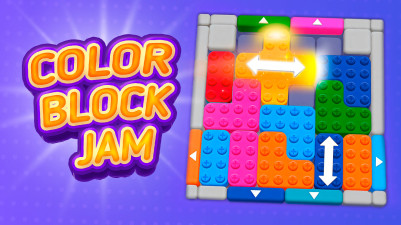
When a cascade of color blocks threatens to overrun the board, the only way out is to clear them in the right sequence. Royal puzzle Burst gives you a single tool: tap any contiguous group of same-color blocks to pop them, but misjudge the order and the advancing blobs will lock your options. An undo button lets you rewind a single mistake, while a restart option resets the entire layout if recovery isn't possible. The board tells you nothing about optimal order — it only shows you the mess and dares you to unmake it before the next wave.
Just tap blocks of the same color to pop them and wipe out those attacking blobs. Simple, satisfying, and oddly addictive—there’s something really nice about clearing the mess in just the right order.
How to Play Royal puzzle Burst
- Click on a group of adjacent blocks that are the same color to pop them.
- Each pop removes the entire contiguous block of that color from the board.
- Plan your sequence: clearing one color may connect others, opening new groups to pop.
- Use the undo button to revert your last pop if you see a better path.
- If the board becomes unsolvable, hit restart to begin the current layout fresh.
Tips & Strategies
- Focus on popping colors that are near the bottom first — they are closest to the blobs' advance line.
- Use undo immediately after a pop that doesn't open new groups: it signals a dead-end branch.
- If two same-color groups are separated, clear the one that isolates fewer other colors.
- Watch for color groups that touch multiple other colors — popping them can cascade into chain clears.
- When a row of blobs is about to reach the top, prioritize any block group directly above it.
Frequently Asked Questions
What happens if I pop a wrong color group?
You can use the undo button to revert that single pop, restoring the board to its previous state. Undo is unlimited per board, so you can experiment freely.
Can I restart the same board if I make too many mistakes?
Yes, the restart button resets the current board to its initial layout, keeping the same color arrangement and blob position. It does not generate a new puzzle.
Do the enemy blobs move faster as I play?
The blobs advance one row every few seconds regardless of your pops. Clearing blocks does not slow them down, so you must pop efficiently to stay ahead.
Is there a limit to how many times I can undo?
No, you can undo any number of pops on the same board. However, undoing does not stop the blobs from advancing — they continue moving while you reconsider.
Category & Tags
Game Details
- Category: Color Sort, Shape Sort
- Last updated: May 6, 2026