About PuzzleJam
A wrong tap in PuzzleJam isn't defeat—it's data. When a jelly lands in the wrong spot, the turn counter still ticks, but the board stays open. No forced restart, no penalty beyond lost moves. That subtle design means the recovery loop is built into the same round: you spot the mistake, adjust your next merge, and absorb the cost as pressure to use fewer moves than before. The real lesson lands when the board clears with a higher-than-ideal count—next round, you remember exactly where that accidental drop cost you.
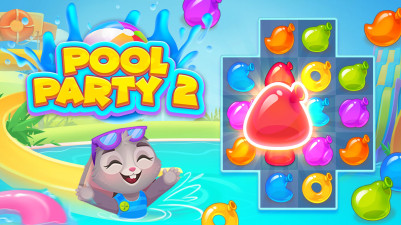
Puzzle Jam is a colorful sorting game where you drag and merge matching jellies to clear the board. It's all about finding the smartest moves — line up same-colored blocks, plan your combos, and use boosters to beat each level. Controls are simple: tap and drag on mobile, or click on computer. No time pressure, just satisfying puzzle-solving. Fewer moves mean better scores. Perfect for anyone who loves organizing chaos into order.
How to Play PuzzleJam
- On a computer, use the left mouse button to select a jelly and drag it to an adjacent block of the same color to merge them.
- On mobile, tap and drag the jelly with your finger onto another matching block.
- Match jellies of the same color to make them disappear and reduce the board size.
- Clear every jelly and complete the level's specific tasks to win.
- Earn better scores by finishing in fewer moves—every move counts toward your final rating.
Game Features
- Drag-and-drop controls work identically on touch and mouse with no swipe gestures or menus.
- Match chains of three or more same-colored jellies in a single move for cascading clears.
- Level tasks vary beyond simple clearing—some require removing specific jellies or hitting move targets.
- Boosters sit off-board and can be triggered mid-round to remove a stuck jelly or rearrange the grid.
Tips & Strategies
- Before dragging, scan the board for a chain of three or more matching jellies that will clear with one pass.
- If a jelly stops moving correctly, lift your finger and re-tap it rather than forcing the drag.
- Watch the turn counter after every merge—if it climbs fast, you are making too many single swaps.
- Hold off on using boosters until you see at least two mismatched jellies that no adjacent match can fix.
Frequently Asked Questions
What happens if I drag a jelly onto the wrong color?
The blocks do not merge and the jelly returns to its original position. The move still counts on your turn counter, so you must find the correct match next time.
Can I undo a move after I drop a jelly on the wrong spot?
No undo button is available. Each move is permanent, which is why the instructions advise planning ahead before you drag.
How do boosters work and when can I use them?
Boosters are items that appear on the level select or as earned rewards. During a puzzle, you tap the booster icon then select the jelly you want to remove or swap. Activating one does not count as an extra move.
Category & Tags
Game Details
- Category: Color Sort, Screw & Bolt Sort
- Last updated: May 6, 2026