About Solitaire Classic
When a sequence dead-ends, Solitaire Classic gives you multiple lifelines: flip through the stock pile to find a playable card, undo a move that painted you into a corner, or restart the deal entirely without penalty. The draw-one mode keeps mistakes manageable, while draw-three forces you to plan around limited access—but the undo button is always there to roll back a misstep. Knowing when to retreat is as important as knowing when to advance.
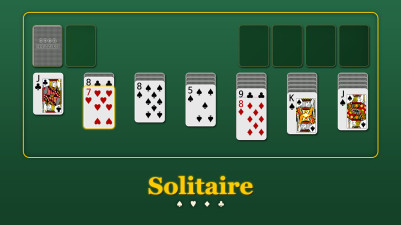
Solitaire is the perfect relaxing brain teaser. Arrange cards in descending order with alternating colors, then build each suit from Ace to King in the foundation. There’s a real satisfaction in clearing the board through careful sorting and strategy. Choose to draw one card for a calm session or three for a tougher puzzle—either way, it’s a classic sorting challenge that keeps your mind sharp and engaged.
How to Play Solitaire Classic
- Tap or drag cards to arrange them in descending order with alternating colors on the tableau.
- Move complete sequences to the foundation to build each suit from Ace to King.
- Draw one card at a time from the stock for a relaxed pace, or draw three for a harder variant.
- Use the undo button to reverse a move that didn't work out.
- Restart the deal at any time if the board becomes unsolvable.
Tips & Strategies
- Uncover face-down cards on the tableau first—they unlock more moves and increase your options.
- In draw-three mode, cycle through the stock pile fully before committing to moves that empty a tableau column.
- Use the undo button freely when a move limits your foundation-building path—it's there to keep the game solvable.
Frequently Asked Questions
Can I undo more than one move?
Yes, the undo button reverses moves one at a time, allowing you to backtrack through your entire move history if needed.
What happens when I run out of stock cards?
After exhausting the stock pile, tap the empty stock area to flip the waste pile back into a new stock, giving you another pass through the cards.
Does restarting shuffle the deck?
No, restarting resets the same deal as originally dealt, so you can attempt the same layout again without reshuffling.
How do I move a card to the foundation?
Tap the card and then tap the foundation zone, or drag the card onto the foundation pile. Cards can also be auto-moved to the foundation with a tap if the game allows it.
Category & Tags
Game Details
- Category: Color Sort, Number & Letter Sort
- Last updated: April 16, 2026