About Tap Car
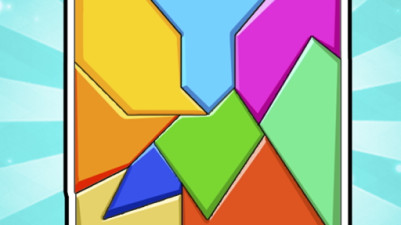
In Tap Car, colour isn't just decoration—it's the sorting rule. Each car piece wears a distinct hue that tells you exactly where it belongs before you even read the shape. The game treats colour as a data channel: a red fender signals its row, a blue door locks into a matching blue outline. You click to slide pieces one by one, watching the palette coalesce into a finished vehicle. The scheme is the logic, and the logic is the satisfaction—no guesswork, just pattern-matching through hue.
Tap and drag to slide car pieces into their correct spots. Each solved puzzle reveals a beautifully detailed car—and the satisfaction of putting it all together. It's a calm, addictive challenge for anyone who loves organizing and cars.
How to Play Tap Car
- Click on a car piece to select it.
- Click on an empty space or another piece to slide the selected piece into that position.
- Arrange all coloured pieces into their correct spots to complete the car.
- Each correct placement locks the piece into position.
Game Features
- Colour-coded pieces that match their target slots for intuitive sorting.
- 3D car models that assemble piece by piece as you solve.
- Click-based sliding mechanic that requires only one input per move.
- Progressive reveal of the car's final design with each piece placed.
Tips & Strategies
- Focus on one colour family at a time to avoid mixing pieces from different sections.
- Start with the car's outline or edges, which often have unique colours that are easier to spot.
- If a piece won't slide, check if a neighbouring piece is blocking its path and move that first.
- Use the colour of the empty slot as a guide—it hints at which piece should go there.
Frequently Asked Questions
What happens if I click on a piece that can't move?
If the piece has no adjacent empty space or movable piece in the slide direction, it will not move. Click on a blocking piece first to clear the path.
Are the colours always the same for each car model?
Yes—each car has a fixed colour scheme, so the same model always uses the same hues for each part. This consistency makes the colour-sorting rule reliable.
Can I undo a move if I place a piece wrong?
The official instructions do not mention an undo button. However, misplaced pieces can be moved again by clicking and sliding them to the correct spot.
Category & Tags
Game Details
- Category: Color Sort, Parking Sort
- Last updated: May 6, 2026