About Grass Cutter
When a swipe sends your blade in the wrong direction and you carve through the wrong patch, Grass Cutter doesn't lock you out. An undo button rewinds the last cut, a restart flattens the whole field, and hints illuminate which grass to target next. The puzzle lets you recover from any mistake — the only cost is watching a short ad for an extra hint when you're truly stuck.
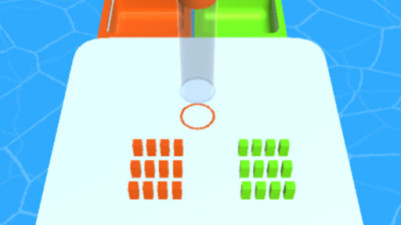
There’s something deeply satisfying about swiping through neat rows of grass. In Grass Cutter, each level is a little puzzle of order — just swipe to guide your blade and clear every patch. The beautiful flowers make it feel calm, but figuring out the best path keeps your brain gently engaged. Simple, stress-free, and oddly addictive.
How to Play Grass Cutter
- Swipe to move the blade across the grass.
- Cut every patch of grass on the field.
- Avoid cutting the same patch twice.
- Use undo to reverse a single cut.
- Use restart to reset the entire level.
Game Features
- Swipe-based control for directing the blade across the field.
- Undo button lets you reverse your last cut.
- Restart option resets the entire level instantly.
- Hint system shows which grass patch to target next.
- Watch an ad to earn an extra hint when needed.
- Beautiful flower decorations that make the field feel calm.
Tips & Strategies
- Plan your swipe path before cutting to avoid dead ends.
- Use undo immediately after a wrong cut to save time.
- Save hints for levels where multiple paths look identical.
- Restart early if you corner yourself into an uncuttable patch.
- Watch an ad for an extra hint only after exhausting free hints.
Frequently Asked Questions
What happens if I cut the same patch twice?
You cannot cut the same patch twice — once cut, the grass is gone. If you swipe into already-cut grass, the blade stops or skips, so plan your path to cover every patch exactly once.
How many hints do I get per level?
You receive a limited number of free hints per level. After using them, you can watch a short ad to earn one additional hint.
Does restarting cost anything?
No, restarting is free and unlimited. You can reset the level as many times as you like without watching an ad.
Can I undo more than one cut?
The undo button reverses only your most recent cut. To go further back, you must restart the level.
Category & Tags
Game Details
- Category: Color Sort, Object Sort
- Last updated: May 6, 2026