About The Smurfs Village Cleaning
A player who can grip a mouse or tap a screen — and recognize that a blue bird goes with other blue objects — can pick up The Smurfs Village Cleaning without instruction. The reading level is zero: symbols and colours do the work. Motor demand stays low because the drag distance is short and the sorting zones are large. The game assumes no prior puzzle-game vocabulary; a person who has never played a digital sort will still immediately see which items match. Attention span needed: about the time it takes to drop three or four items, which makes discrete sessions natural for someone who needs frequent breaks. The rule never changes — click, drag, drop the thing onto the thing that looks like it belongs with it.
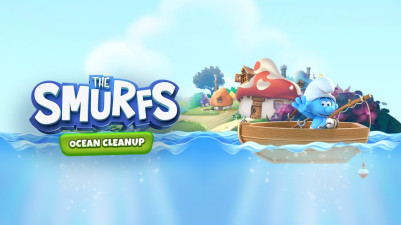
Oh no, Jokey Smurf blew up another present box! Now the whole village is covered in dirt and soot. Help the Smurfs clean up by sorting all the messy items back where they belong. Click, drag, and drop each object into the right spot—it's super satisfying to watch everything get organized. Can you restore the village to its tidy, colorful self?
How to Play The Smurfs Village Cleaning
- Click and drag a sooty object from the messy pile onto the cleaning area.
- Drop the object onto the matching silhouette or colour zone that shows where it should go.
- Continue clicking, dragging, and dropping each Smurf item until every object has been placed in its correct spot.
- Watch the village gradually return to its tidy state as each item is sorted.
- Restart or try a new messy arrangement by tapping the in-game options.
Game Features
- Sort by object type — place Smurfs, mushrooms, flowers, presents, and tools with their matching outlines.
- Colour-coded drop zones that clearly indicate where each item belongs, removing guesswork.
- Progressively cluttered scenes that start with a few objects and increase to dozens.
- Draggable items maintain a smooth touch-and-drag response on both mouse and touchscreen.
- Each completed sort triggers a clean-up animation that shows the village brightening.
- No time limits or move counters, so any sorting speed is valid.
Tips & Strategies
- Grab the largest objects first — they block visibility of smaller items beneath them.
- Match items by their exact colour shade, not just the general colour family (e.g., dark blue Smurf hat vs. light blue flower petal).
- If an item refuses to drop, drag it back and release near the center of the target zone.
- Use the silhouettes as a guide: the game shows the outline of the correct spot before you drop.
- When stuck, tap the clean village icon to see the final arrangement for reference.
Frequently Asked Questions
What happens if I drop an item in the wrong spot?
The object bounces back to the messy pile so you can try again. No penalty or score is affected.
Can I sort an item into a zone that already has a different object?
No — each zone accepts only the one object that matches its outline. You must clear the zone first by correctly placing the item that belongs there.
The game shows silhouettes on the drop zones. Are these always the same for each item?
Yes — each object has a unique silhouette on its target spot, so you can identify the correct match by shape alone.
Does the mess level ever reset on its own?
The mess stays exactly as you left it until you deliberately restart the level or choose a new one from the menu.
Category & Tags
Game Details
- Category: Color Sort, Object Sort
- Last updated: April 29, 2026