About Grand Mahjong Connect
In Grand Mahjong Connect, colour doesn't just decorate the tiles — it encodes the match rule. Three identical hues must align on the collection bar before they vanish, turning the board into a live colour-matching signal. Each tap pulls a tile into the bar, and the bar's capacity becomes the constraint: fill it with unmatched colours and the level ends. The mahjong-style layout layers this rule with spatial planning, but the game's real instruction runs through its palette — identical visuals must be grouped before the bar overflows.
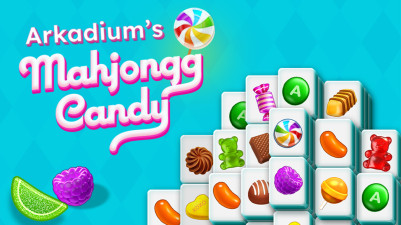
Grand Mahjong Connect gives the classic tile game a fresh triple-match twist. Scan the board, pick three identical tiles, and clear them before space runs out. Every move counts, so you’ll need to think ahead. With lovely tile designs and smooth, satisfying matches, it’s easy to get hooked on organizing your way through each level. Ready to master the triple match?
How to Play Grand Mahjong Connect
- Tap on a tile on the board to select it.
- Selected tiles move to the collection bar at the bottom.
- Match three identical tiles on the bar to remove them from play.
- Do not fill the collection bar to its limit — doing so ends the level.
- Clear all tiles from the board to complete the level.
Game Features
- Triple-match mechanic requires three identical tiles, not a pair.
- Collection bar acts as a limited inventory, adding pressure to every pick.
- Mahjong-style tile layouts create spatial constraints on which tiles are accessible.
- Progressive levels introduce new board configurations and tile distributions.
Tips & Strategies
- Scan the board for sets of three identical tiles before tapping — one wrong selection can fill the bar with unmatched colours.
- Prioritise tiles that block access to others, even if their colour isn't ready for a triple match yet.
- Keep the collection bar as empty as possible by matching tiles early, not waiting until it's nearly full.
- Memorise the tile positions on the board — the bar only shows tiles you've selected, not what remains.
Frequently Asked Questions
What happens if the collection bar fills up?
If the bar reaches its capacity without clearing tiles, the level ends and you lose that attempt.
Can I deselect a tile after tapping it?
No, once a tile is tapped it moves to the collection bar and cannot be returned to the board.
Are the tiles shuffled or random each level?
The game uses predefined board layouts and tile distributions specific to each level.
How many tiles fit in the collection bar?
The bar can hold a limited number of tiles; the exact capacity is shown visually during play.
Do I have to match tiles of the same pattern or just the same colour?
You must match three tiles that are identical in both pattern and colour — the match is based on the full tile design.
Category & Tags
Game Details
- Category: Color Sort, Number & Letter Sort
- Last updated: June 3, 2026